
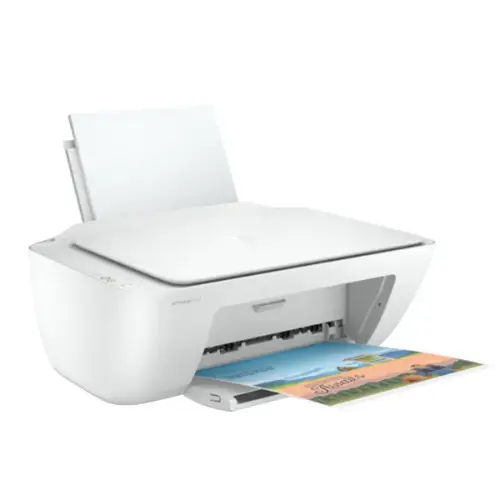
HP DeskJet 2320 In Kenya
The HP DeskJet 2320 (3‑in‑1) price in Kenya is KES 11,500. The HP DeskJet 2320 (3-in-1) Printer is a multifunction device that is compact and lightweight for all your everyday printing, scanning and copying at home, for school or in a small office. It will fit comfortably on desks, over shelves, or in tight places, while measuring 425 x 306 x 149 mm and weighing around 3.42 kg certainly not bulky or intrusive. A clean and modern design will also keep your desktop organized and with minimal distractions while enabling seamless use regardless if you are a new user. USB connectivity offers stable and dependable performance. The DeskJet 2320 produces a high-quality print that is sharp in text and vibrant in color for any schoolwork, reports, project, forms, or casual photographs. The flatbed scanner provides consistent and accurate duplication of documents. The copier option adds convenience for duplication without needing to connect a computer.
HP DeskJet 2320 Full Specifications:
| Model Name | HP DeskJet 2320 All‑in‑One Printer |
| Product Number | 7WN42B |
| Functions | Print, Copy, Scan |
| Print Technology | HP Thermal Inkjet |
| Print Resolution (Black) | Up to 1200 × 1200 dpi |
| Print Resolution (Color) | Up to 4800 × 1200 optimized dpi (on HP Advanced Photo Paper) |
| Print Speed (Black) | Up to 7.5 ppm |
| Print Speed (Color) | Up to 5.5 ppm |
| First Page Out (Black) | As fast as 15 seconds |
| First Page Out (Color) | As fast as 19 seconds |
| Monthly Duty Cycle | Up to 1,000 pages |
| Recommended Monthly Volume | 50 – 100 pages |
| Cartridges | HP 305 Black, HP 305 Tri‑color |
| Compatible Ink Types | Dye‑based (color), Pigment‑based (black) |
| Copy Resolution | Up to 600 × 300 dpi |
| Copy Speed | Up to 6 cpm (black); Up to 3 cpm (color) |
| Max Copies | Up to 9 copies |
| Scan Type | Flatbed |
| Scan Resolution | Up to 1200 dpi |
| Scan File Formats | JPEG, TIFF, PDF, BMP, PNG |
| Scanner Bit Depth | 24‑bit |
| Scanner Size | Up to 216 × 297 mm |
| Connectivity | 1 Hi‑Speed USB 2.0 port |
| Wireless Printing | Not supported |
| Mobile Printing | Not supported |
| Paper Input Capacity | Up to 60 sheets |
| Paper Output Capacity | Up to 25 sheets |
| Supported Media Sizes | A4, B5, A6, DL envelope |
| Supported Media Types | Plain paper, photo paper, brochure paper |
| Media Weight Supported | 60 – 90 g/m² (plain); up to 300 g/m² (photo) |
| Duplex Printing | Manual (driver support provided) |
| Display | None (uses LED indicators) |
| Processor Speed | 180 MHz |
| Memory | Integrated (not expandable) |
| Operating Systems Supported | Windows 10, Windows 7 SP1 (32/64‑bit), macOS v10.12 Sierra and later |
| Dimensions (W × D × H) | 425 × 304 × 249 mm |
| Weight | 3.42 kg |
| Power Consumption | 1.83 W (standby); 0.5 W (off); 18 W (printing) |
| Acoustic Power Emissions | 6.2 B(A) |
| Acoustic Pressure Emissions | 48 dB(A) |
| Operating Temperature Range | 5 – 40 °C |
| Operating Humidity Range | 20 – 80% RH |
| Included in Box | Printer, HP 305 Setup Black Cartridge, HP 305 Setup Tri‑color Cartridge, Regulatory flyer, Setup guide, Reference guide, Power cord |
Detailed Feature:
Not only is the HP DeskJet 2320 in size and uncluttered interface, but it also has reliable performance and a low price point to make it stand out. The HP DeskJet 2320 is designed to use ink efficiently while performing many tasks, and printing on different media sizes and types. This allows the users to do anything from archiving documents to creative prints and standard office jobs. The machine itself is quiet and works in shared spaces like living rooms, dorms, and home offices. It may be a simple machine, but it gives consistent service to allow the user to get the daily print jobs they want at a modest cost, rather than spending a lot of money on costly and breakable machines.The bottom line is that the HP DeskJet 2320 is dependable, easy to use, and low in cost. It is a great option for anyone looking for a solid all-in-one machine for home or office use.
Pros and Cons
Pros
- It has a compact and lightweight design perfect for small or cluttered workspaces.
- Simple USB connectivity ensures easy setup and stable operation.
- Offers printing, scanning, and copying functions in one affordable device.
- Produces sharp text and vibrant color prints for documents and photos.
- Cost-efficient ink usage suitable for budget-conscious users.
- Quiet and smooth operation ideal for home and office environments.
- Supports various paper sizes and media types for versatile use.
Cons
- Lacks wireless connectivity and mobile printing support.
- Modest print speeds may not suit users with heavy workloads.
- Manual duplex printing is required since auto-duplex is unavailable.
- Not designed for high-volume or business-grade printing tasks.
- Ink cartridges may require frequent replacement for regular or heavy users.
- No LCD display for advanced navigation or standalone features.
- Limited functionality compared to more modern smart printers.
We also have: